
Why this case mattered
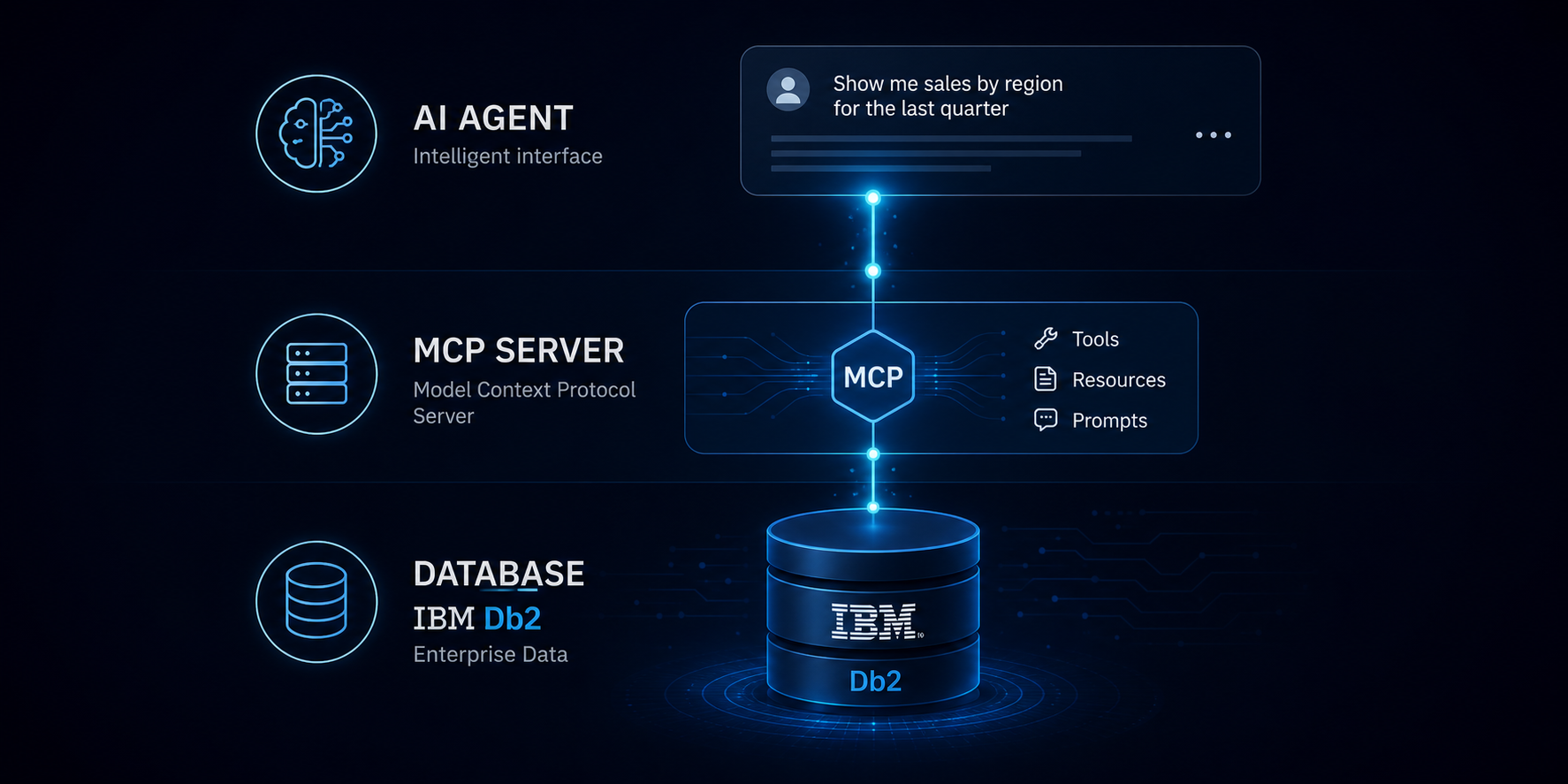
This article is based on an example that occurred in an internal test environment where we had built:
- Specialized MCP servers exposing Db2 investigation and recovery tools
- An AI agent able to use those tools
- A catalog of controlled failure injections to trigger database incidents
The goal was simple: inject realistic failures and verify whether the agent could help a DBA investigate and recover.
One of those tests became more interesting than expected. We injected a table-drop scenario and the agent did not simply execute a few recovery commands. It found a real Db2 recovery limitation, adapted its strategy to reconstruct the data from business logic, and applied that strategy. That is the non-trivial part worth documenting.
Later, a better solution than data reconstruction was identified, but it was not yet supported by the MCP tooling: analyzing Db2 log content to reconstruct the SQL responsible for changing the lost data and replaying it. That capability was added and tested. The AI agent was then able to recover all lost data from the Db2 log.
The injected failure
The incident was injected with the following script:
#!/bin/bash
# DL-01 — DROP TABLE (no dependents)
# Drops STORE.PAYMENTS — no views or FKs depend on it.
# Symptom: SQL0204N on any query referencing PAYMENTS.

set -e

CONTAINER=db2-primary
DB=LABDB

echo "==> [DL-01] Injecting: DROP TABLE STORE.PAYMENTS"

docker exec "$CONTAINER" su - db2inst1 -c "
db2 connect to $DB > /dev/null

db2 \"INSERT INTO STORE.AUDIT_LOG (EVENT_TYPE, TABLE_NAME, DESCRIPTION)
     VALUES ('INCIDENT_INJECTED', 'STORE.PAYMENTS', 'DL-01: PAYMENTS table dropped — no cascade')\"

db2 \"DROP TABLE STORE.PAYMENTS\"

db2 commit
db2 connect reset > /dev/null
"

echo ""
echo "==> [DL-01] Done."
echo "    Symptom : SQL0204N when querying STORE.PAYMENTS"
echo "    Evidence: SYSCAT.TABLES has no entry for PAYMENTS"
echo "              SYSCAT.INDEXES missing PAYMENTS indexes"
echo "              AUDIT_LOG has the incident marker"
Everything was intentionally designed to create a simple dropped-table incident:
- A single table removed, with no dependent foreign keys or views to complicate the diagnosis.
At first sight, it looked like the kind of case that a conventional recovery playbook should handle well.
The request to the agent
After the injection, the user asked:
It seems that some tables were dropped. Investigate, create a plan and execute a plan to recover them.
The phrasing matters because the request does not tell the agent:
- Which table was dropped
- How the drop occurred
- Which recovery path should be followed
The agent had to investigate, form a plan from the evidence, and only then execute the recovery. In other words, this was a reasoning task, not a simple command-execution task.
What the agent found first
The first useful discovery was in the trace left by the injection itself:
- The table
STORE.AUDIT_LOGcontained the incident marker - The marker identified
STORE.PAYMENTS - The description confirmed incident
DL-01
The meaning and relevance of that table were inferred by the agent. From there, the agent verified that:
- The table
STORE.PAYMENTSno longer existed, and the expected catalog information had disappeared from Db2 - The other objects in schema
STOREwere still present
This led to the first important conclusion: it was not a schema-wide failure, but the loss of one specific object. The investigation then focused on that object:
The agent summarized the situation as follows:
| Item | Detail |
|---|---|
| Dropped table | STORE.PAYMENTS |
| Known number of rows before the loss | 19 rows |
| Drop time | 2026-05-20 20:35:40 |
| Backup available | Full backup under /database/backup |
| Backup time | 20:19:51, before schema STORE was created |
| Archive logging | LOGARCHMETH1=LOGRETAIN |
| Active log location | /database/data/db2inst1/NODE0000/SQL00001/LOGSTREAM0000/ |
| Immediate symptom | SQL0204N when accessing STORE.PAYMENTS |
| Additional evidence | Marker in AUDIT_LOG, missing catalog entries for the table and its indexes |
The first recovery path looked promising
The next question was whether the table could be recovered through the normal Db2 restore and rollforward mechanism.
The environment had a full backup under /database/backup and archive logging enabled through LOGARCHMETH1=LOGRETAIN.
At that point, the situation looked favorable. A common recovery pattern would be:
| Step | Common recovery action | Purpose |
|---|---|---|
| 1 | Restore the database into a separate recovery database | Work on a safe copy instead of the live system |
| 2 | Roll forward to a point immediately before the drop | Recover the object state before the incident |
| 3 | Export the recovered table | Extract the recovered data from the side database |
| 4 | Recreate or import it back into the live database | Restore the recovered object into production |
This is a common and perfectly reasonable technical approach. After that, the case became more interesting.
The first complication: the backup was too old
The backup existed, but it had been taken before the entire STORE schema had been created. Restoring that backup alone would not bring back table STORE.PAYMENTS. The only viable path depended on rolling forward through the logs.
Even so, the table and the data still looked recoverable because:
- Archive logging was active
- The logs needed to apply changes after the backup had been retained
The plan built by the agent
Based on that evidence, the agent built the following plan:
| Step | Planned action | Intended result |
|---|---|---|
| 1 | Restore the old backup into a separate recovery database | Avoid touching the live database during the investigation |
| 2 | Roll forward that database to immediately before the drop | Recreate the pre-incident state if Db2 time granularity allowed it |
| 3 | Recover the table definition and data there | Use the recovery copy as the extraction source |
| 4 | Transfer the recovered object to the live database | Restore service in LABDB |
| 5 | Validate integrity and clean up | Leave the production database in a trustworthy state |
This was already solid DBA reasoning and, if not for Db2 point-in-time recovery limitations, the story would have ended there.
But it did not.
The real Db2 problem: PITR could not isolate the rows
The agent restored the backup into a separate recovery database and applied rollforward.
What it found was a subtle difficulty:
- The DDL for
CREATE TABLE STORE.PAYMENTSwas recoverable - However, the table rows were not recoverable
Why?
Because the population of the table and the drop were both committed within the same second.
The relevant timeline was:
| Time | Event | Meaning |
|---|---|---|
20:32:09 | CREATE TABLE PAYMENTS | The table definition enters the logs long before the critical second |
20:35:40.xxx | INSERT INTO PAYMENTS (...) | The 19 payment rows are committed |
20:35:40.995 | DROP TABLE PAYMENTS | The table is dropped in the same second as the insert |
Db2 point-in-time rollforward accepts timestamps with a minimum granularity of one second.
That means the real recovery options were:
| Rollforward target | Result |
|---|---|
20:35:39 | Everything committed up to 20:35:39; the rows do not yet exist |
20:35:40 | Everything committed up to 20:35:40; includes the INSERT and the DROP |
| End of logs | The same practical result as 20:35:40; the drop still wins |
There was no valid target that included the inserted rows but excluded the drop, and that is the real technical heart of the case.
The failure was no longer:
- “How do we recover a dropped table?”
It became:
- “How do we recover when physical point-in-time recovery can restore the structure but no longer the original row set?”
That is a much harder problem.
What Db2 could still recover
Even without isolating the rows, the recovery database still gave the agent something very valuable:
- The exact table definition
- The primary key
- The foreign key
- The check constraints
- The definition of the existing index on the table
The agent extracted that definition with db2look and recreated the table in the live database. After that, the table structure had been recovered but the data was still missing.
The agent did not stop. It pushed further. The execution record up to that point can be summarized as follows:
| Step | Action | Result |
|---|---|---|
| 1 | Full backup identified in /database/backup | Valid backup found, but too old for direct object recovery |
| 2 | LOGARCHMETH1=LOGRETAIN confirmed | The log-based recovery path remained viable |
| 3 | Archived and active logs consolidated | The recovery database now had the material needed for PITR |
| 4 | Redirected restore to LABRCVR | Success |
| 5 | Rollforward to immediately before the drop | DDL recoverable, data still missing |
| 6 | db2look on LABRCVR | Exact DDL extracted, including PK, FK, checks, and index |
| 7 | Table recreated in live LABDB | Structure restored exactly |
The decisive step: reconstructing the data through business logic
This is the most important part of the article. The agent changed its approach from “reasoning about how to perform physical recovery” to “since physical recovery is not possible, how do we reconstruct the data using business logic”.
It analyzed the surviving transactional context around STORE.PAYMENTS, especially STORE.ORDERS, and inferred which orders should logically have corresponding payments.
The central interpretation was:
DELIVEREDorders should already have valid paymentsSHIPPEDorders should also have paymentsPROCESSING,PENDING, andCANCELLEDorders should not have payments
That produced:
| Order status | Orders | Reconstructed payment rows |
|---|---|---|
DELIVERED | 1–12, 31–33 | 15 |
SHIPPED | 13–16 | 4 |
PROCESSING | 17–20, 36–37 | 0 |
PENDING | 21–26, 38–40 | 0 |
CANCELLED | 27–30 | 0 |
Total:
15 + 4 = 19
That matched exactly the known number of lost rows.
The agent then reconstructed:
AMOUNTfromSTORE.ORDERS.TOTAL_AMOUNT- Plausible payment dates relative to order dates
- Allowed payment methods
- Valid payment status values
- Syntactically plausible references
In summary:
- Db2 recovery restored the table definition
- The agent reconstructed a business-consistent row set
As a rule, a non-AI tool would not be able to do that on its own.
It is important to remember that the agent, while doing the best it could, cannot perform miracles. The reconstruction was a fallback measure and cannot be compared with exact and complete data recovery. The original values of some columns were permanently lost, including:
- Exact payment timestamps
- Original payment methods per order
- Original reference identifiers
The details of the recovery and reconstruction are shown below:
| Aspect | Exact recovery? | Notes |
|---|---|---|
| Table definition | Yes | Recovered from logs and extracted with db2look |
| Primary key | Yes | Recreated exactly |
| Foreign key | Yes | Recreated exactly |
| Check constraints | Yes | Recreated exactly |
| Index definition | Yes | Recreated exactly |
| Original payment amounts | In practice, yes | Derived directly from STORE.ORDERS.TOTAL_AMOUNT |
| Original payment timestamps | No | Reconstructed as plausible values |
| Original payment methods | No | Reconstructed within the allowed values |
| Original payment references | No | Reconstructed as plausible identifiers |
| Original row identity and count | Partially | The row count matched exactly; the content was faithful to the business, not original |
Validation after reconstruction
The agent did not stop after inserting 19 plausible rows. It validated that:
- The recreated table matched the original DDL
- Foreign key relationships remained valid
- No orphan references existed
- Statistics had been refreshed with
RUNSTATS
The final state was:
STORE.PAYMENTSexisted again19rows had been restored in a business-consistent form- Referential integrity was clean
- The recovery was recorded in
STORE.AUDIT_LOG
From an operational point of view, the table became usable again.
The final recovery summary can be presented as follows:
| Step | Action | Result |
|---|---|---|
| 1 | Redirected restore and PITR into LABRCVR | Table definition recovered, rows still missing |
| 2 | Extraction with db2look from LABRCVR | Exact DDL captured |
| 3 | Table recreated in live LABDB | Production structure restored |
| 4 | 19 rows reconstructed from the business pattern in STORE.ORDERS | Missing data restored in a semantically consistent way |
| 5 | FK validation and integrity checks | No orphan rows |
| 6 | RUNSTATS execution | Optimizer statistics refreshed |
| 7 | Recovery recorded and temporary database cleaned up | Incident closed with traceability |
A better technical path would have been forensic log analysis
Although the reconstruction succeeded and has didactic value, it would not normally be the path to follow.
The better path would have been forensic analysis of Db2 logs, because that would have allowed the agent to extract the original values of the inserted rows instead of reconstructing them from business logic.
At the time of the incident, that option was not available through the MCP servers. The tools exposed by the server supported investigation, restore, rollforward, catalog inspection, and DDL extraction, but they did not yet expose forensic utilities for reading raw log content.
That limitation has since been corrected.
db2fmtlog can help format and inspect low-level log content during forensic investigation.
The capabilities that were added are:
| Tool | Purpose |
|---|---|
forensic_log_format | Wraps db2fmtlog to format low-level log content so it can be inspected and consumed by the recovery workflow |
recover_dropped_table | Orchestrates both the standard RESTORE → ROLLFORWARD → EXPORT path and the forensic path when a same-second collision is detected |
For this PAYMENTS incident, the improved workflow would have worked like this:
| Step | Forensic workflow action | Purpose |
|---|---|---|
| 1 | Detect that the INSERT and the DROP collided within the same second | Recognize that PITR cannot isolate the wanted rows |
| 2 | Collect the exact log window and object metadata | Bound the forensic investigation to the relevant evidence |
| 3 | Perform a true low-level forensic analysis over that window | Recover the original inserted values if the underlying tooling, including formatted inspection with db2fmtlog, allows it |
| 4 | Decode the recovered values against the PAYMENTS DDL | Map the values back to Db2 columns and types |
| 5 | Rebuild exact INSERT statements with the original values | Recover the real rows instead of approximating them |
The expected outcome would be:
| Stage | Forensic outcome |
|---|---|
| Incident classification | Same-second collision detected and flagged as not solvable through PITR alone |
| Forensic extraction | Original row values recovered, if the low-level analysis path supports it |
| DDL-guided decoding | Columns mapped back to PAYMENT_ID, ORDER_ID, PAYMENT_DATE, AMOUNT, METHOD, STATUS, and REFERENCE |
| Final recovery | Exact INSERT statements rebuilt with original timestamps, methods, and references |
The essential improvement that has now been added is:
- standard Db2 recovery logic remains the first path
db2fmtlog-based forensic investigation becomes the fallback when Db2 PITR cannot isolate the wanted rows
With this addition, the agent no longer has to stop at business-faithful reconstruction in same-second collision scenarios. It can first attempt exact row recovery and only fall back to reconstruction if forensic extraction also fails.
What happened after the MCP improvement
After the MCP server improvement, the incident was revisited and the agent was able to recover the table with the exact original 19 rows, instead of only with an approximation based on business-data analysis.
This second recovery is important because it shows the difference between:
- A structurally correct reconstruction
- And a true recovery of the original row values
The post-mortem can be summarized like this:
| Topic | What happened |
|---|---|
| Incident | STORE.PAYMENTS was dropped at 2026-05-20 20:35:40 |
| Initial result | The table was reconstructed with 19 approximate rows based on business logic |
| Remaining problem | Some reconstructed values were wrong, especially row 13 and rows 17–19 |
| Underlying limitation | PITR still could not isolate the INSERT from the DROP, because both occurred in the same second |
| Improved path | Log-content analysis was used to recover the original values |
1. Identify the correct log file
The first practical problem was scale:
- 26 log files existed across active and archived locations
- an unfiltered forensic pass produced too much output
The agent used the XHDR sections from db2fmtlog output to map LFS intervals to physical files. The relevant INSERT records had:
LFS = 6976
That allowed the relevant activity to be mapped to:
S0000007.LOG
which turned out to be an active log file.
2. Locate the 19 INSERT records exactly
The next step was to find the exact byte offsets of the 19 inserted rows inside S0000007.LOG.
db2fmtlog provided the metadata needed to guide the search:
- Transaction ID
- Record type
- Object identity
The binary search then looked for the combination of:
- The
TIDbytes of transaction000000000C6D - The
INSREC_DPmarker associated with the target object
That made it possible to locate the 19 records at exact offsets inside the 16 KB log file.
3. Decode the row format correctly
This was the hardest step, because the internal Db2 row format was not documented in a friendly way.
Several decoding mistakes had to be corrected:
| Sub-problem | Initial error | Final correction |
|---|---|---|
| Row start offset | Early offsets produced garbage | The correct row start was pos + 32 |
DECIMAL(12,2) decoding | Packed BCD was read with the wrong nibble alignment | The first nibble was padding and had to be ignored |
| Variable-length columns | The structure was initially assumed to use a trailing offset table | The real row used explicit 2-byte length fields before the text |
| Timestamp in row 13 | The apparent timestamp bytes showed invalid BCD | Row 13 contained 20 extra bytes of log overhead before the column data |
After these corrections, the agent was able to decode the original values correctly.
4. Apply the exact values back to the live table
Two operational problems still had to be solved:
| Problem | Resolution |
|---|---|
execute_query only allowed SELECT statements | DML was applied through docker exec and the Db2 CLP |
Explicit INSERT values were needed into a GENERATED ALWAYS identity column | PAYMENT_ID was temporarily changed to GENERATED BY DEFAULT and then restored to GENERATED ALWAYS |
The final insertion path used a CLP script file with db2 -tvf, because direct quoting of multi-line INSERT statements through docker exec ... bash -c became too fragile.
What the first reconstruction had assumed incorrectly
The first business-logic reconstruction was sufficient to restore service, but it was not exact.
The later forensic recovery clearly showed the differences:
| Row | Field | Reconstructed | Actual |
|---|---|---|---|
| 13 | PAYMENT_DATE | 09:00 | 17:00 |
| 13 | AMOUNT | 99.98 | 179.99 |
| 17 | ORDER_ID | 17 | 31 |
| 18 | ORDER_ID | 18 | 32 |
| 19 | ORDER_ID | 19 | 33 |
The first reconstruction had correctly guessed:
- Method patterns
- Status values
- Reference structure
But it was still wrong on exact original values in places where only real low-level log analysis could reach.
Final state after the improved recovery
After the MCP improvement and the new recovery path:
STORE.PAYMENTSonce again contained 19 rows- The rows matched the exact original values that existed before the drop
- Identity behavior was restored to
GENERATED ALWAYS - No backup restore was required for the final exact-data recovery stage
This makes the main lesson of the case even clearer:
- Business-logic reconstruction was already valuable
- But after the MCP improvement, the agent was able to go beyond approximation and recover the original row set exactly
Why this case matters
When conventional recovery hit a real Db2 limit, the AI agent was able to continue reasoning over business semantics instead of stopping at the technical boundary.
This required three distinct levels of capability:
- Db2 investigation tools
- Catalog checks
- Configuration inspection
- Understanding of backups and logs
- Recovery execution
- Db2 recovery knowledge
- Redirected restore
- Rollforward limitations
- DDL extraction
- Validation steps
- Business-logic inference
- Understanding what a payment table represents
- Inferring which orders should have payments
- Rebuilding rows consistent with the surviving business evidence
When the MCP server was improved, that capability stack was extended with true low-level forensic analysis. The combination became even stronger:
- Db2 recovery knowledge to recover structure
- Business-logic reasoning to provide a fallback path
- Forensic log analysis to recover exact values when the standard path could not
This is what made the final result remarkable:
- the agent first restored service through reconstruction
- and later, once the MCP tooling improved, recovered the original rows exactly
References
- IBM Docs: ROLLFORWARD DATABASE command
- IBM Docs: db2look command
- IBM Docs: RECOVER DROPPED TABLE command